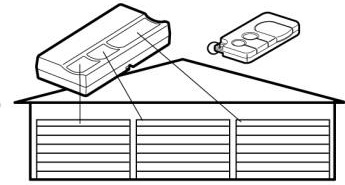

BD CAD 4 Remote Coding
Coding Controll-A-Door®4 Transmitters
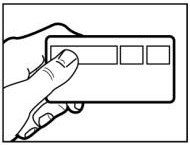
- Press and hold the button on the hand-held remote* that you wish to operate your garage door.
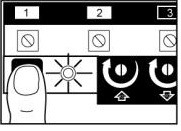
- Press and release the “Smart” button on the back panel of the opener.

- The light globe will blink when the code has been accepted. If light globe is not installed, two clicks will be heard.


To Erase All Codes From Opener Receiver Memory
To deactivate any unwanted remote, first erase all codes:
Press and hold the “Smart” button on opener until the smart indicator light goes out (approximately 6 seconds). All previous codes are now erased. Reprogram each remote or keyless entry you wish to use.
*Multi-Function Remotes
If provided with your garage door opener, the large button is factory programmed to operate it. Additional buttons on any multi-function remote or mini-remote can be programmed to operate other garage door openers.