

BFT Q.Bo Wireless Keypad Coding
Genuine Q.Bo Wireless Keypad
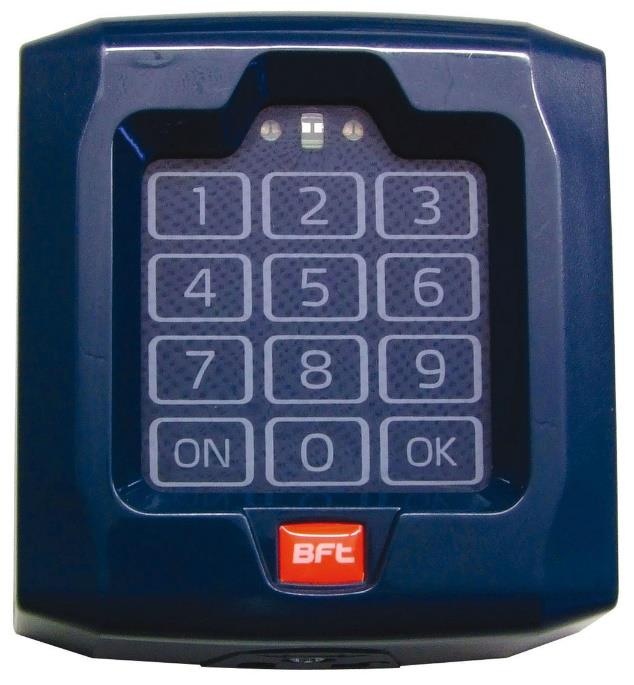
Adding a code
- Press ON button for 5 seconds or wait until the Red LED light flash once.
- Enter default (1234) or existing password.
- Press OK button. The Green LED light flashes and Red LED light turn on.
- Enter the channel number to be activated 4x. (Ch 1: 1111 or Ch 2: 2222)
- Press OK button. Green and Red LED light turn on at the same time.
- Enter the new code. Enter 4 digit numbers and best to add the channel number at the end to remember which function it is. (e.g. New password: 56561 > Channel 1)
- Press OK button. The Green LED light flashes and Red LED light turn on.
- Repeat new code and Green LED light turns on. Code added!
WARNING: To add a code, you need to know the system password. T-BOX can handle up to 100 different codes. The new code will serve the same purpose as the existing code (activates the same channel).
Changing the password
- Press ON button for 5 seconds or wait until the Red LED turn on.
- Enter old password then press OK button. The Green LED flashes and Red LED turn on.
- Enter new password then press OK button. Red and Green LED flash on at the same time.
- Re-enter new password. Green light flash on. Password changed!
Memorizing on control unit / receiver
- Press ON button for 5 seconds or wait until the Red LED turn on.
- Enter the channel number that you will save the new code 4x. (Ch 1: 1111 or Ch 2: 2222 or Ch 3: 3333)
- Press ON button again until Red LED flashes.
For control units with display

For receivers

- Press ON button until Green LED flash 2x.
Deleting a code
- Press ON button for 5 seconds or wait until the Red LED turn on.
- Enter code to be deleted and press OK button. The Green LED flashes and Red LED turn on.
- Re-enter code to be deleted and press OK button. Code deleted!